Design custom stamps, signatures, and watermarks right from your phone. No printing, no scanning – just professional results that protect your work and save you time.
Choose from dozens of templates or create your own from scratch. Add your company name, logo, or personal signature with full control over fonts, colors, and layouts. Perfect for business stamps, address stamps, or creative watermarks.
Add custom watermarks to your photos and artwork in seconds. Keep your copyright safe from unauthorized use while maintaining a professional appearance that reinforces your brand identity.
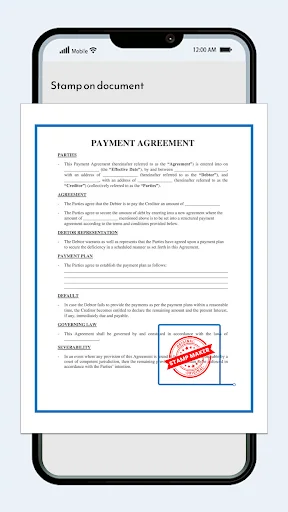
Skip the print-scan hassle forever. Add your stamps and signatures directly to photos, PDFs, and digital documents right from your phone. Work faster and look professional, whether you're in the office or on the go.
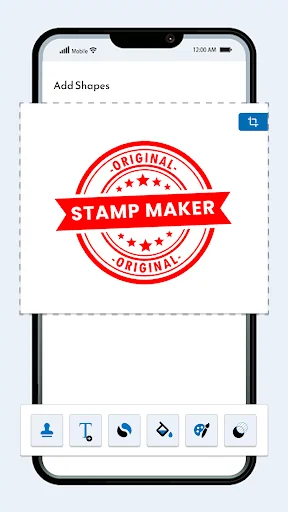
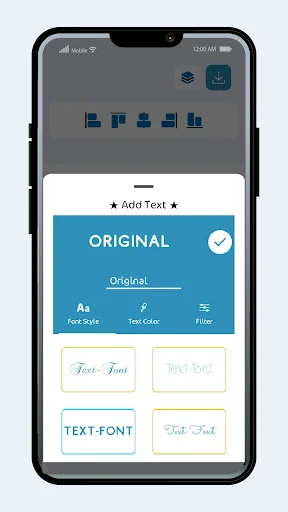
Customize text styles, rotate and resize elements, add decorative frames, and choose from colorful stickers. Our intuitive interface makes it simple to create stamps that perfectly match your vision and brand.
The Stamp Maker: Stamp & Signature app lets you design personalized stamps and custom watermarks to protect your copyright photos. Enhance your digital documents with a vast collection of stickers and unique stamp patterns, giving them a professional and authentic touch. Choose from a variety of pre-made stamps, add text and explore numerous customization options. Adjust text, rotate, flip or delete elements effortlessly. This is the best digital stamp seal maker app.
Design your own stamp effortlessly with the Stamp Maker: Stamp & Signature app. Create custom stamps, personalized stamps and custom stamp logos to protect your photos and digital content. Choose from a variety of stamp templates, stamp stickers and logo stamps to give your images a professional touch. Add text, change colors, rotate and resize with ease. Whether you need a company stamp, custom address stamp or a name and address stamp, Stamp Maker: Stamp & Signature app has everything you need. Make personalized name stamps, name stamps, and even a custom address stamp in just a few taps.
In Stamp Maker: Stamp & Signature app Enjoy multiple stamp styles, including pattern, single and cross styles. The best part? You can create and save your own custom stamps using the built-in stamp editor. Safeguard your important artwork from unauthorized use with ease. Design your watermark and apply it to your photos in seconds.
Easily add stamps to photos, create a custom stamp logo or design a personalized stamp for documents. Our user-friendly interface lets you customize every detail from fonts to layouts. Use a custom stamp option to make stylish custom stamps for branding. Whether for business or personal use, this Stamp Maker: Stamp & Signature app allows you to create high-quality custom stamps, logo stamps, and company stamps in minutes.
Download Stamp Maker – Image Watermark now and explore endless customization possibilities! Protect your images while unleashing your creativity with ease.
This app is a lifesaver — I can design custom stamps and signatures in minutes, apply them directly onto PDFs, and skip the whole print-scan hassle. It’s really intuitive, saves loads of time, and makes my documents look professional🥰🥰
Stamp and Signature Maker is a fantastic app for creating professional-looking stamps and signatures with ease. Its user-friendly interface and customization options make it a must-have too!Highly recommend💡💡💡
The Stamp maker app is a fantastic tool for anyone to create custom stamp and signatures i like custom stamps feature and best thing is i can add created stamp and signatures on any document
This stamp maker made it so easy to create my company stamp. I didn’t expect such a professional result from a mobile app this app really good 👍😊
it's exceptional, easy to use. great for office work and made receipts having stamps on time. appreciated!
This is the only stamp maker I trust. It's accurate, fast, and produces high-resolution stamp designs