Stop struggling with ZIP, RAR, and 7Z files that won't open. Extract all your compressed files in seconds with one simple app that handles every format.
No more downloading different apps for each file type. Open ZIP, RAR, and 7Z files instantly with a single tool that handles all your compressed files.
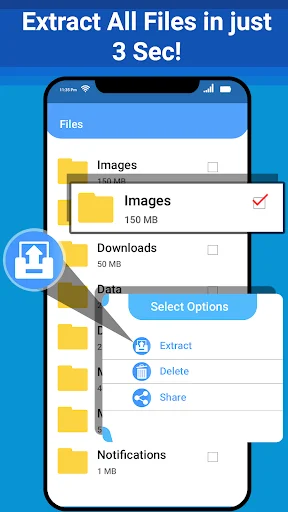
Get to your files fast with simple one-tap extraction. No complicated steps or confusing menus – just tap and access your documents, photos, and videos immediately.
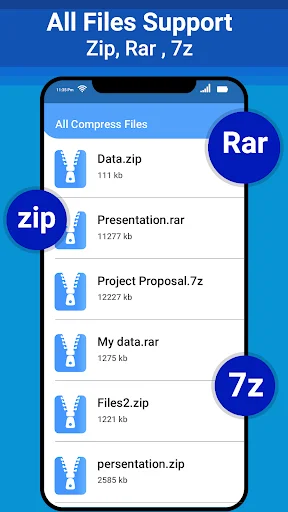
See exactly what's inside any archive before extracting it. Save time and storage space by checking file contents first, so you only extract what you actually need.
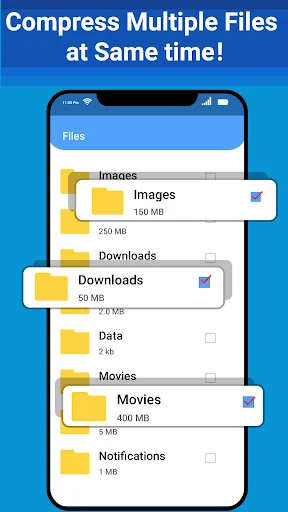
Send large files through email or messaging apps easily. Compress multiple photos, videos, or documents into one small file that's quick to upload and share.
We've all been there: the file sent as a packed archive, and the device just doesn't seem to recognize it or open it. Well! You will never have to worry about such instances with this awesome zip extractor, which doubles as a RAR extractor, zip file opener, and 7z extractor, if you ever receive your files in various compression formats and need a single handy app to handle all these archive types.
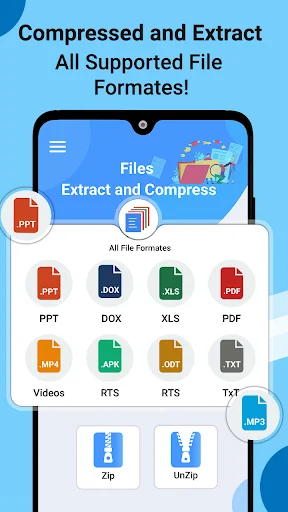
Extracting your archived files becomes as easy as 1, 2, 3 with this all-inclusive archive extractor, which comes with a handy 7z file extractor and a smooth zip manager. No more having to juggle between numerous files in confusing formats because with this zip opener, you can zip and unzip your files, images, videos, documents, etc., right from the comfort of your Android device. The Android zip file extractor you were looking for.
What you get with the Zip app is: a zip file opener, a zip file extractor, a handy zip viewer app, and a one-tap extract zip file option to get your files where they need to be. Not to forget that the 7z file extractor and the zip file reader, along with the file compression function, allow you to get more with the zip file manager.
This zip extractor is designed for everyday use – it actually puts the space saved by archived files to use, rather than simply unpacking and forgetting the original. The RAR extractor makes it super easy to access all those RAR downloads. Open a RAR file and have your files available immediately. Your regular day-to-day downloads, which come in zip format, can be easily handled by this zip file opener. Download large files in a compressed archive (like when a .rar or .zip arrives from cloud storage) and simply open it with a zip file extractor to get at what you need. The 7z extractor has your back when dealing with large 7z files.
The reason one uses compressed files in the first place is that they take up less space and can be transferred at the speed of light. The zip extractor we have built is quite easy to use, allowing users to unpack archives with ease. Unzip files and manage your Android device without having to download an app for every new archive format you meet. From a RAR extractor to a ZIP file opener and a 7z extractor, this is an all-in-one app. Open any rar zip file without ever having to struggle.
With the help of the 7z file extractor, one is capable of handling some large archives that otherwise get unmanageable. Zip and unzip as required with this all-in-one utility. Get a clean and easy-to-use zip file extractor for Android. Manage your archives using the zip manager, view them first with the zip viewer app, extract zip files, and even compress your own files before sending them over using the zip file reader for viewing and the zip file manager to store your new creations. This is, simply put, a must-have zip app.
Download this ZIP extractor for a lighter way to manage archives on your phone. Get easy access to your rar and zip files along with a fully functional 7z extractor. Whether you want to extract zip files or work with rar zip archives from anywhere, anytime, this zip extractor has got it all for you. Unzip files and get back to life!
Eazy zip unzip file manager tool for andoride is nice app.This is amazing,excellent,fantastic,brilliant,great,Osum, outstanding and so good application. Everyone like this app. Me to. I installed it. Irecomended to all my friends installed it and use it. I hope you will be happy to use it.
Totally free, does what it says it will without any of the extra BS most of the other apps make you go through. I'll definitely continue using and refer to some of my staff who primarily use their mobile devices. Thank you so much for creating this!!
Easy zip Unzip file is a tremendous and interesting application. It is an offline application. I like this application very much. Through this application, we can extract and compress the documents, it is good working file especially office workers
Handling of zip files is wasy and comfortable. If you have to email a large number of files than for this purpose email service providers limits you to srnd maximum 20 - 25 files in each time intervsl but by making its zip files you can send hundreds and thoudands files at the same time.
I gave it 4 stars simply because I rarely, if ever give 5 stars for ANY app because there's ALWAYS room for improvement for ANYTHING on the internet. But this one comes really close. So far, it's done everything I've asked of it FLAWLESSLY.. Good job team.
Zip file reader is very useful application for mobile phone because it can support all types of document formats and can hide or secure our data files in compressed file. It is easy to use. This is becuase it is unique and better. Thank you.